Section 6 — Controllers & IActionResult
Introduction to Controllers
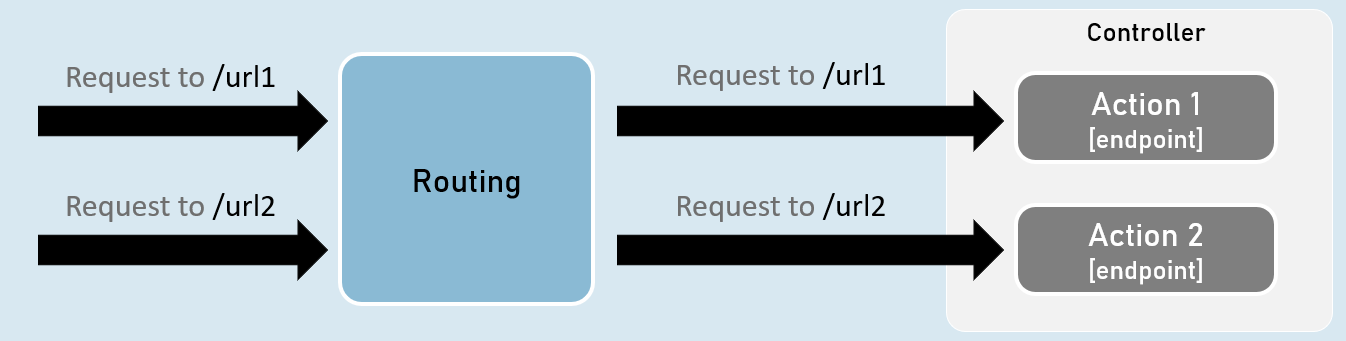
Controller is a class that is used to group-up a set of actions (or action methods ).
Action methods do perform certain operation when a request is received & returns the result (response).
Creating Controllers
Controllers should be either or both:
- The class name should be suffixed with “Controller”. Eg: HomeController
- The [Controller] attribute is applied to the same class or to its base class.
Controller
[Controller]
class ClassNameController
{
//action methods here
}
Optional:
- Is a public class.
- Inherited from Microsoft.AspNetCore.Mvc.Controller.
Enable ‘routing’ in controllers
AddControllers( )
builder.Services.AddControllers();Adds all controllers as services in the IServiceCollection.
So that, they can be accesed when a specific endpoint needs it.
MapControllers()
app.MapControllers();Adds all action methods as endpoints.
So that, no need of using UseEndPoints() method for adding action methods as end points.
Responsibilities of Controllers
Reading requests
Extracting data values from request such as query string parameters, request body, request cookies, request headers etc.
Invoking models
Calling business logic methods.
Generally business operations are available as ‘services’.
Validation
Validate incoming request details (query string parameters, request body, request cookies, request headers etc.)Preparing Response
Choosing what kind of response has to be sent to the client & also preparing the response (action result ).
ContentResult
ContentResult can represent any type of response, based on the specified MIME type.
MIME type represents type of the content such as text/plain, text/html, application/json, application, xml, application/pdf etc.
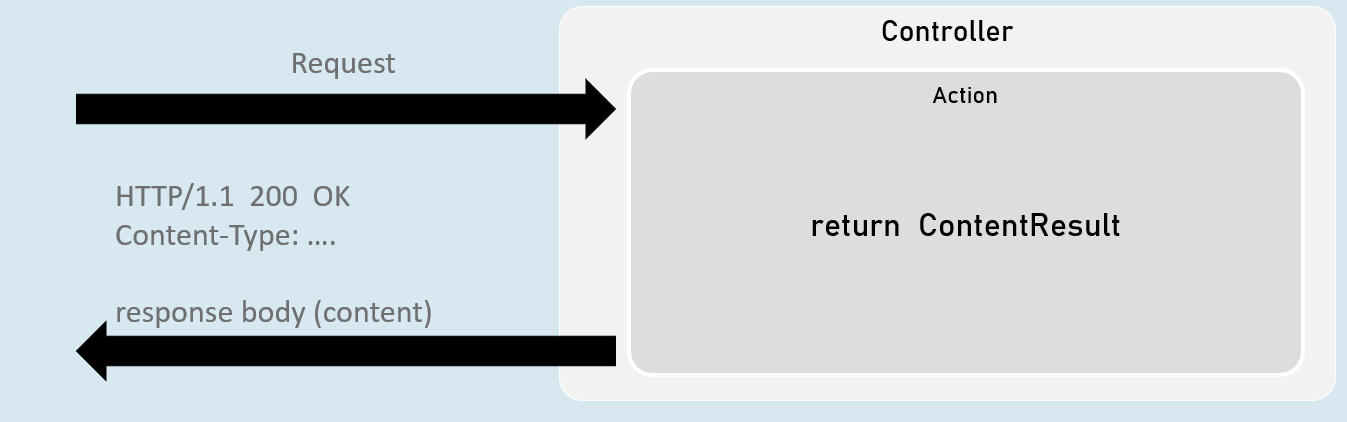
return new ContentResult() { Content = "content", ContentType = "content type" };[or]
return Content("content", "content type");JsonResult
JsonResult can represent an object in JavaScript Object Notation (JSON) format.
Eg: { “firstName”: “James”, “lastName”: “Smith”, “age”: 25 }
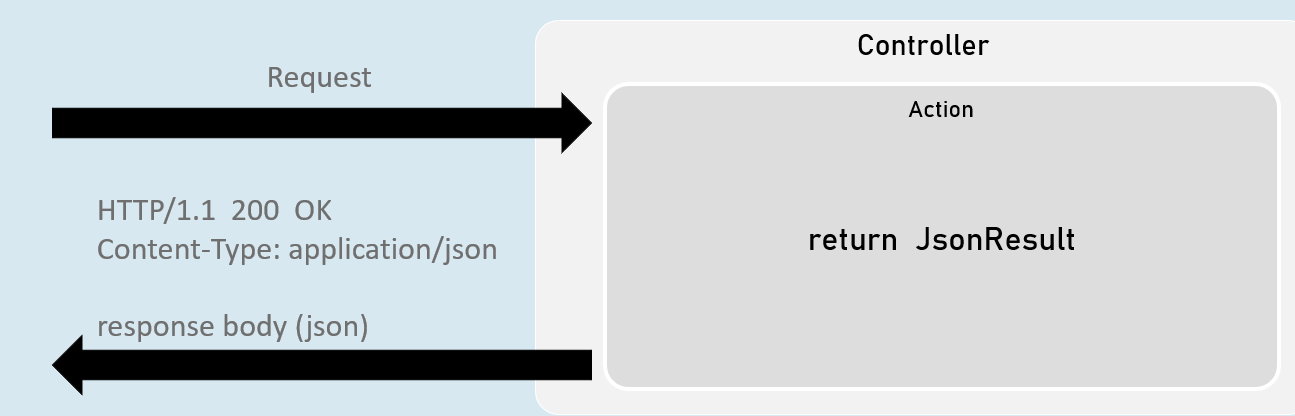
return new JsonResult(your_object);[or]
return Json(your_object);File Results
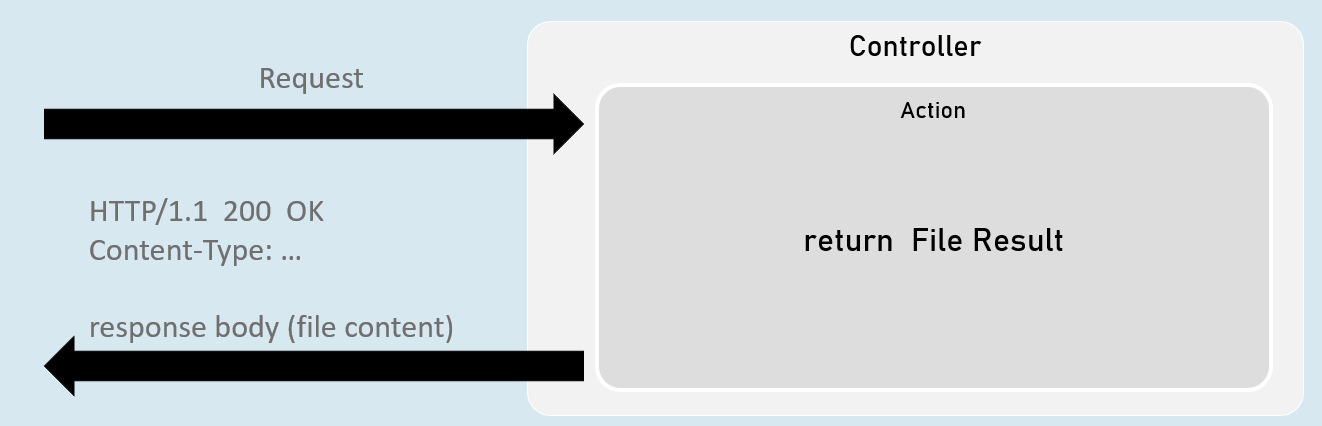
File result sends the content of a file as response.
Eg: pdf file, txt file, exe file, zip file etc.
VirtualFileResult
Represents a file within the WebRoot (‘wwwroot’ by default) folder.
Used when the file is present in the WebRoot folder.
return new VirtualFileResult("file relative path", "content type");
//or
return File("file relative path", "content type");
PhysicalFileResult
Represents a file that is not necessarily part of the project folder.
Used when the file is present outside the WebRoot folder.
return new PhysicalFileResult("file absolute path", "content type");
//or
return PhysicalFile("file absolute path", "content type");
FileContentResult
Represents a file from the byte[ ].
Used when a part of the file or byte[ ] from other data source has to be sent as response.
return new FileContentResult(byte_array, "content type");
//or
return File(byte_array, "content type");
IActionResult
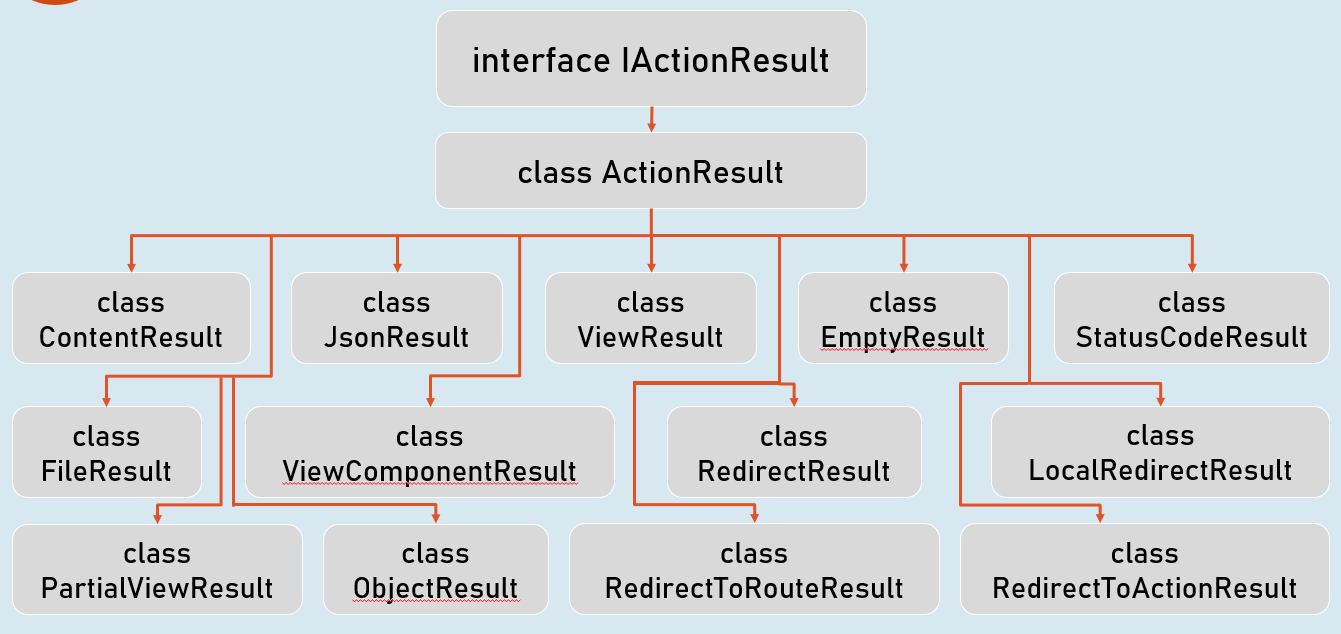
It is the parent interface for all action result classes such as ContentResult, JsonResult, RedirectResult, StatusCodeResult, ViewResult etc.
By mentioning the return type as IActionResult, you can return either of the subtypes of IActionResult
Status Code Results
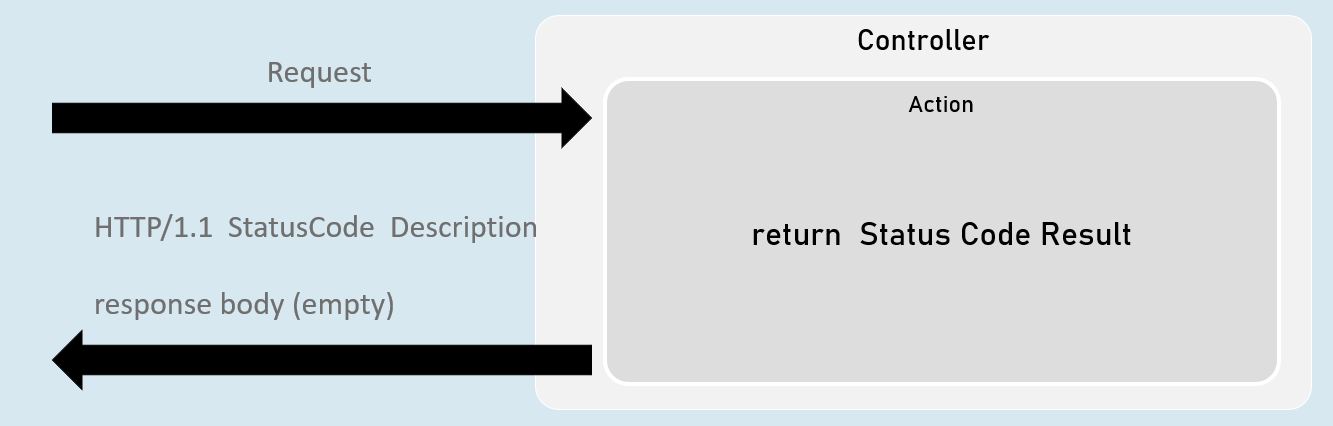
Status code result sends an empty response with specified status code.
Eg: 200, 400, 401, 404, 500 etc.
StatusCodeResult
return new StatusCodeResult(status_code);UnauthorizedResult
return new UnauthorizedResult();BadRequestResult
return new BadRequestResult();NotFoundResult
return new NotFoundResult();StatusCodeResult
- Represents response with the specified status code.
- Used when you would like to send a specific HTTP status code as response.
return new StatusCodeResult(status_code);
//or
return StatusCode(status_code);
UnauthoriziedResult
- Represents response with HTTP status code ‘401 Unauthorized’.
• Used when the user is unauthorized (not signed in).
return new UnauthorizedResult();
//or
return Unauthorized();
BadRequestResult
- Represents response with HTTP status code ‘400 Bad Request’.
• Used when the request values are invalid (validation error).
return new BadRequestResult();
//or
return BadRequest();
NotFoundResult
- Represents response with HTTP status code ‘404 Not Found’.
- Used when the requested information is not available at server.
return new NotFoundResult();
//or
return NotFound();
Redirect Results
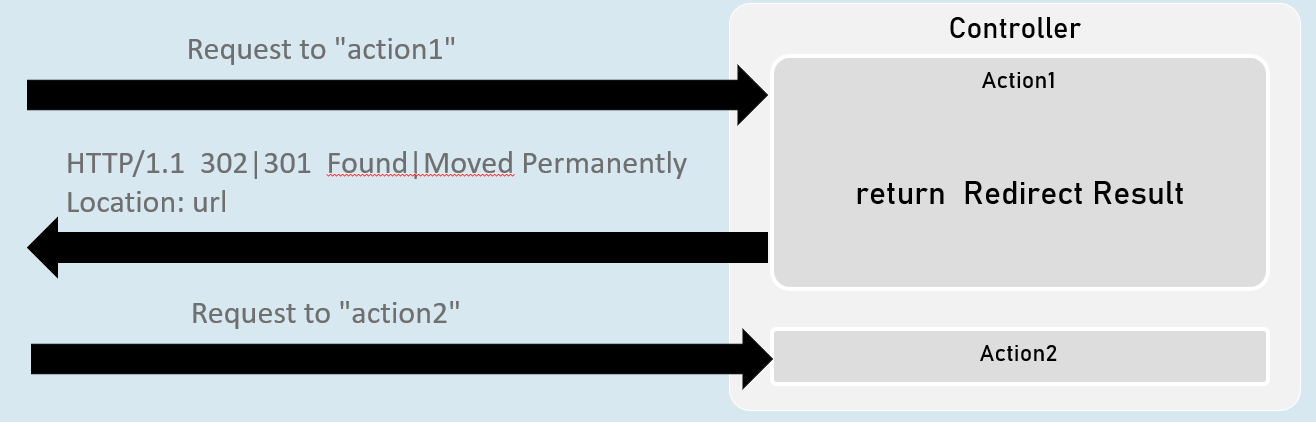
Redirect result sends either HTTP 302 or 301 response to the browser, in order to redirect to a specific action or url.
Eg: redirecting from ‘action1’ to ‘action2’.
RedirectToActionResult
return new RedirectToActionResult("action", "controller", new { route_values }, permanent);LocalRedirectResult
return new LocalRedirectResult("local_url", permanent);RedirectResult
return new RedirectResult("url", permanent);RedirectToActionResult
Represents response for redirecting from the current action method to another action method, based on action name and controller name.
302 - Found
return new RedirectToActionResult("action", "controller", new { route_values });
//or
return RedirectToAction("action", "controller", new { route_values });
301 - Moved Permanently
return new RedirectToActionResult("action", "controller", new { route_values }, true);
//or
return RedirectToActionPermanent("action", "controller", new { route_values });
LocalRedirectResult
Represents response for redirecting from the current action method to another action method, based on the specified url.
302 - Found
return new LocalRedirectResult("url");
//or
return LocalRedirect("url);
301 - Moved Permanently
return new LocalRedirectResult("url", true);
//or
return LocalRedirectPermanent("url");
RedirectResult
Represents response for redirecting from the current action method to any other url (either within the same web application or other web application).
302 - Found
return new RedirectResult("url");
//or
return Redirect("url);
301 - Moved Permanently
return new RedirectResult("url", true);
//or
return RedirectPermanent("url");