Section 3 — HTTP
Introduction to HTTP
HTTP is an application-protocol that defines set of rules to send request from browser to server and send response from server to browser.
Initially developed by Tim Berners Lee, later standardized by IETF (Internet Engineering Task Force) and W3C (World Wide Web Consortium)
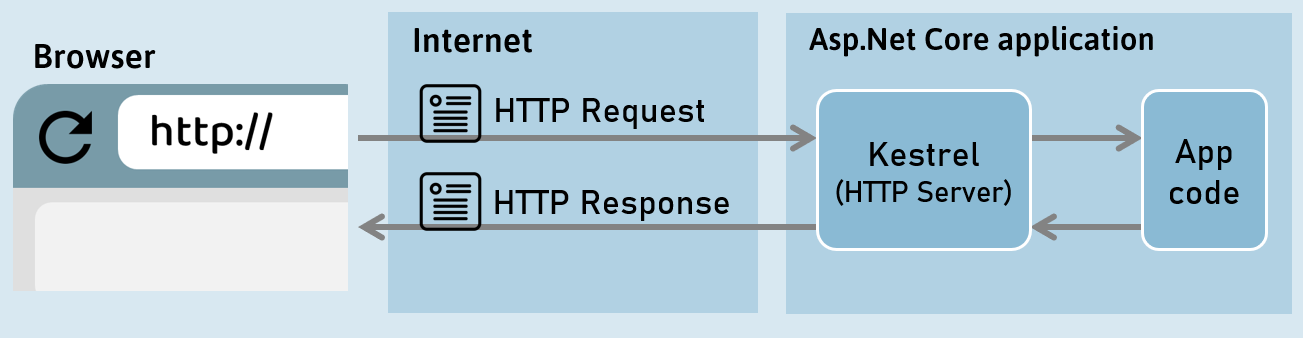
HTTP Response
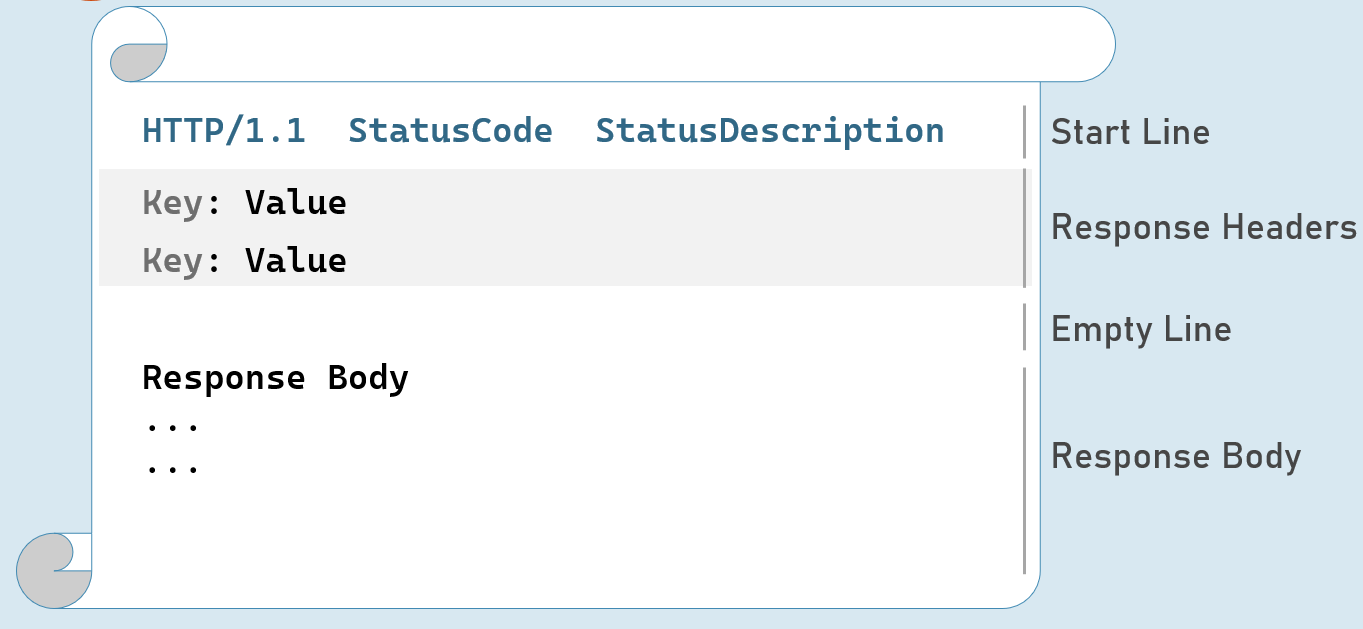
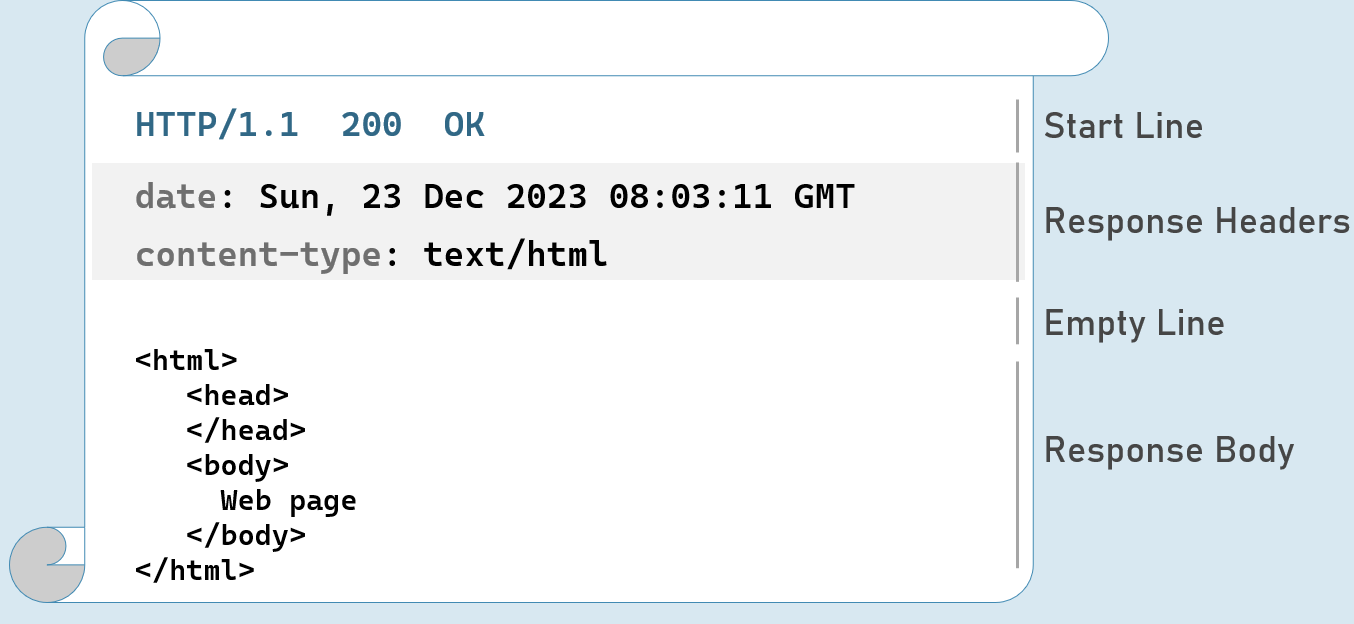
Response Start Line
Includes HTTP version, status code and status description.
HTTP Version: 1/1 | 2 | 3
Status Code: 101 | 200 | 302 | 400 | 401 | 404 | 500
Status Description: Switching Protocols | OK | Found | Bad Request | Unauthorized | Not Found | Internal Server Error
HTTP Response Status Codes
1xx | Informational
101 Switching Protocols
2xx | Success
200 OK
3xx | Redirection
302 Found
304 Not Modified
4xx | Client error
400 Bad Request
401 Unauthorized
404 Not Found
5xx | Server error
500 Internal Server Error
HTTP Response Headers
Date
Date and time of the response. e.g: Tue, 15 Nov 1994 08:12:31 GMT
Server
Name of the server.
e.g: Server=Kestrel
Content-Type
MIME type of response body.
e.g: text/plain, text/html, application/json, application/xml etc.
Content-Length
Length (bytes) of response body.
e.g: 100
Cache-Control
Indicates number of seconds that the response can be cached at the browser.
e.g: max-age=60
Set-Cookie
Contains cookies to send to browser.
e.g: x=10
Access-Control-Allow-Origin
Used to enable CORS (Cross-Origin-Resource-Sharing)
e.g: Access-Control-Allow-Origin: http://www.example.com
Location
Contains url to redirect.
e.g: http://www.example-redirect.com
Further reading: https://developer.mozilla.org/en-US/docs/Web/HTTP/Headers
HTTP Request
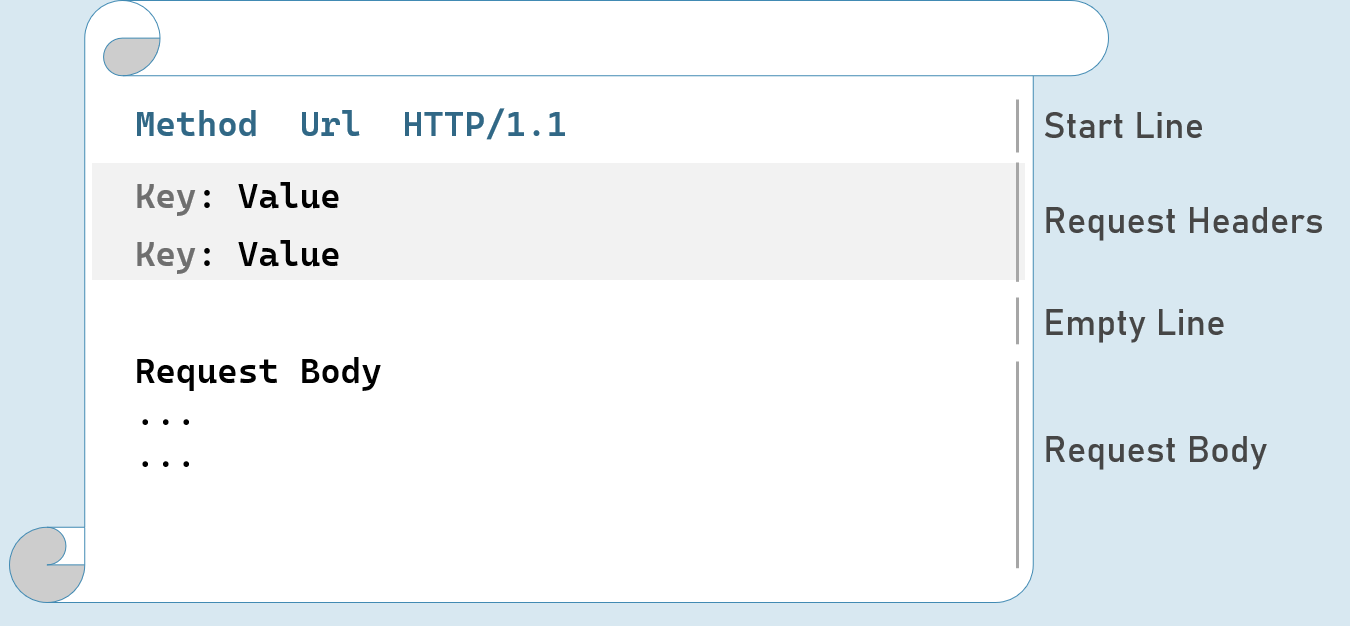
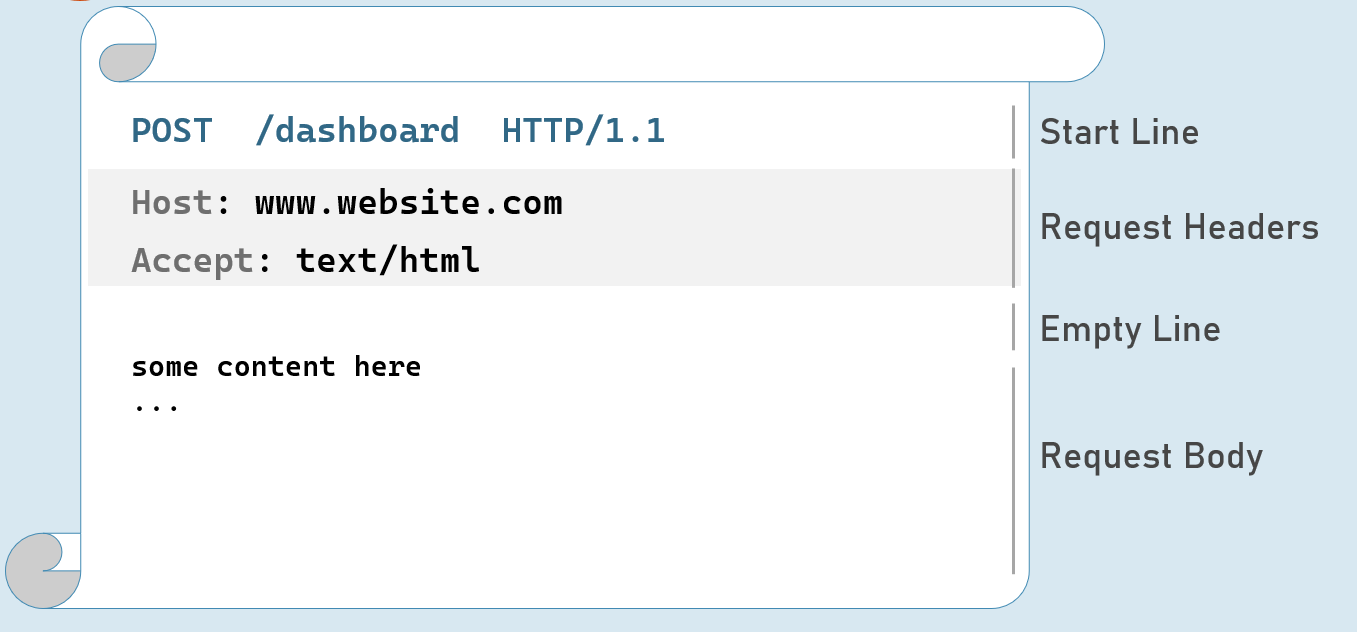
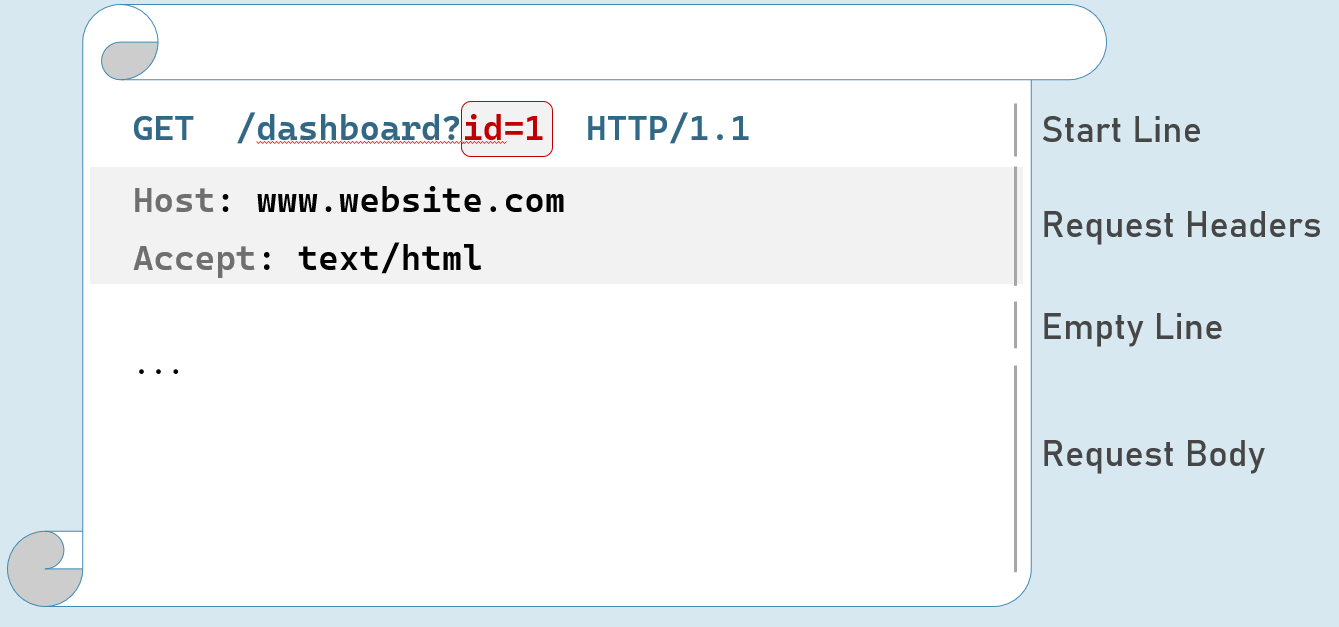
HTTP Request - with Query String
HTTP Request Headers
Accept
Represents MIME type of response content to be accepted by the client. e.g: text/html
Accept-Language
Represents natural language of response content to be accepted by the client. e.g: en-US
Content-Type
MIME type of request body.
Eg: text/x-www-form-urlencoded, application/json, application/xml, multipart/form-data
Content-Length
Length (bytes) of request body.
e.g: 100
Date
Date and time of request.
Eg: Tue, 15 Nov 1994 08:12:31 GMT
Host
Server domain name.
Eg: www.example.com
User-Agent
Browser (client) details.
Eg: Mozilla/5.0 Firefox/12.0
Cookie
Contains cookies to send to server.
Eg: x=100
Further reading: https://developer.mozilla.org/en-US/docs/Web/HTTP/Headers
HTTP Request Methods
GET
Requests to retrieve information (page, entity object or a static file).
Post
Sends an entity object to server; generally, it will be inserted into the database.
Put
Sends an entity object to server; generally updates all properties (full-update) it in the database.
Patch
Sends an entity object to server; generally updates few properties (partial-update) it in the database.
Delete
Requests to delete an entity in the database.
HTTP Get [vs] Post
Get:
- Used to retrieve data from server.
• Parameters will be in the request url (as query string only).- Can send limited number of characters only to server. Max: 2048 characters
- Used mostly as a default method of request for retrieving page, static files etc.
- Can be cached by browsers / search engines.
Post:
- Used to insert data into server
• Parameters will be in the request body (as query string, json, xml or form-data).- Can send unlimited data to server.
- Mostly used for form submission / XHR calls
- Can’t be cached by browsers / search engines.