Section 26 — Asp.Net Core Web API
Introduction to Web API
ASP.NET Core Web API is a component (part) of ASP.NET Core, which is used create HTTP-based RESTful services (also known as HTTP services) that can be consumed (invoked) by wide range of client applications such as single-page web applications, mobile applications etc.
Asp.Net Core:
- Asp.Net Core MVC
- Asp.Net Core Web API
- Asp.Net Core Blazor
- Asp.Net Core Razor Pages
RESTful / Web API Services
RESTful services (Representational State Transfer) is an architecture style that defines to create HTTP services that receives HTTP GET, POST, PUT, DELETE requests; perform CRUD operations on the appropriate data source; and returns JSON / XML data as response to the client.
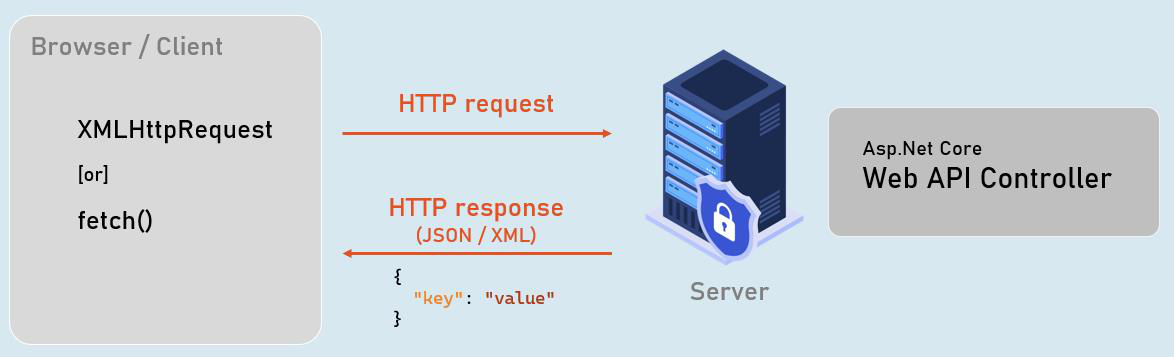
Web API Controllers
Should be either or both:
- The class name should be suffixed with “Controller”. Eg: ProductsController
- The [ApiController] attribute is applied to the same class or to its base class.
Controller
[ApiController]
class ClassNameController
{
//action methods here
}
Optional:
- Is a public class.
- Inherited from Microsoft.AspNetCore.Mvc.ControllerBase.
Introduction to EntityFrameworkCore
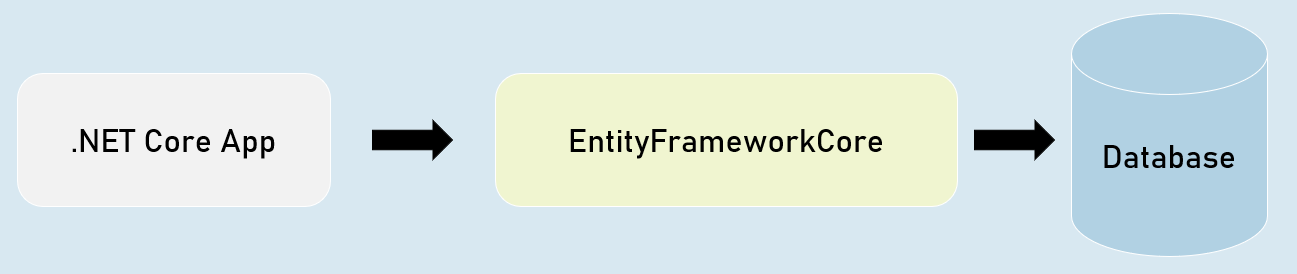
EntityFrameworkCore is light-weight, extensible and cross-platform framework for accessing databases in .NET applications.
It is the most-used database framework for Asp.Net Core Apps.
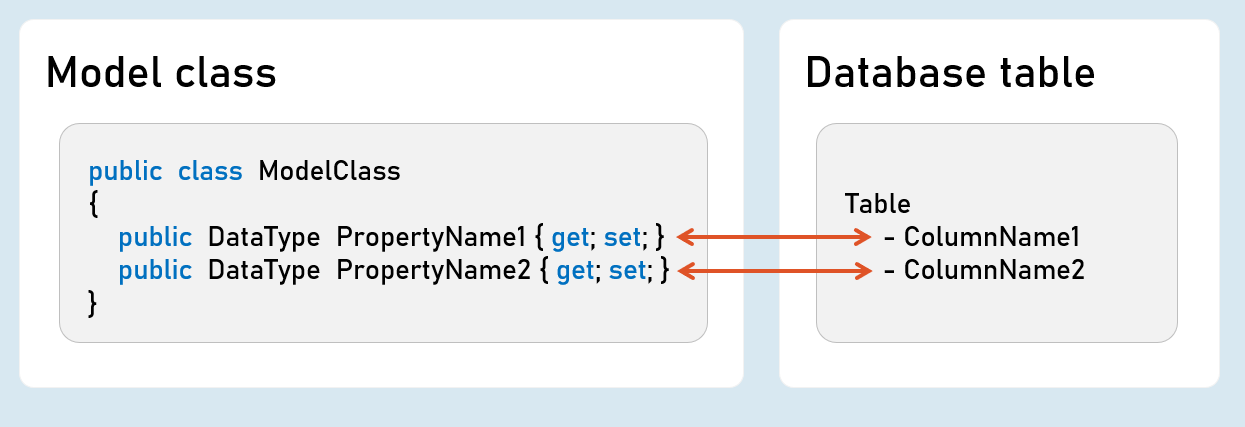
EFCore Models
Pros & Cons of EntityFrameworkCore
1. Shorter Code
The CRUD operations / calling stored procedures are done with shorter amount of code than ADO.NET.
2. Performance
EFCore performs slower than ADO.NET.
So ADO.NET or its alternatives (such as Dapper) are recommended for larger & high-traffic applications.
3. Strongly-Typed
The columns as created as properties in model class.
So the Intellisense offers columns of the table as properties, while writing the code.
Plus, the developer need not convert data types of values; it’s automatically done by EFCore itself.
ProblemDetails
ProblemDetails
string? Type { get; set; } //URI references that identifies the problem type
string? Title { get; set; } //Summary of the problem type
int? Status { get; set; } //HTTP response status code
string? Detail { get; set; } //Explanation of the problem
public class ProblemDetails
{
}
ValidationProblemDetails
string? Type { get; set; } //URI references that identifies the problem type
string? Title { get; set; } //Summary of the problem type
int? Status { get; set; } //HTTP response status code
string? Detail { get; set; } //Explanation of the problem
public class ValidationProblemDetails : ProblemDetails
{
IDictionary<string, string[]> Errors { get; set; } //List of validation errors
}
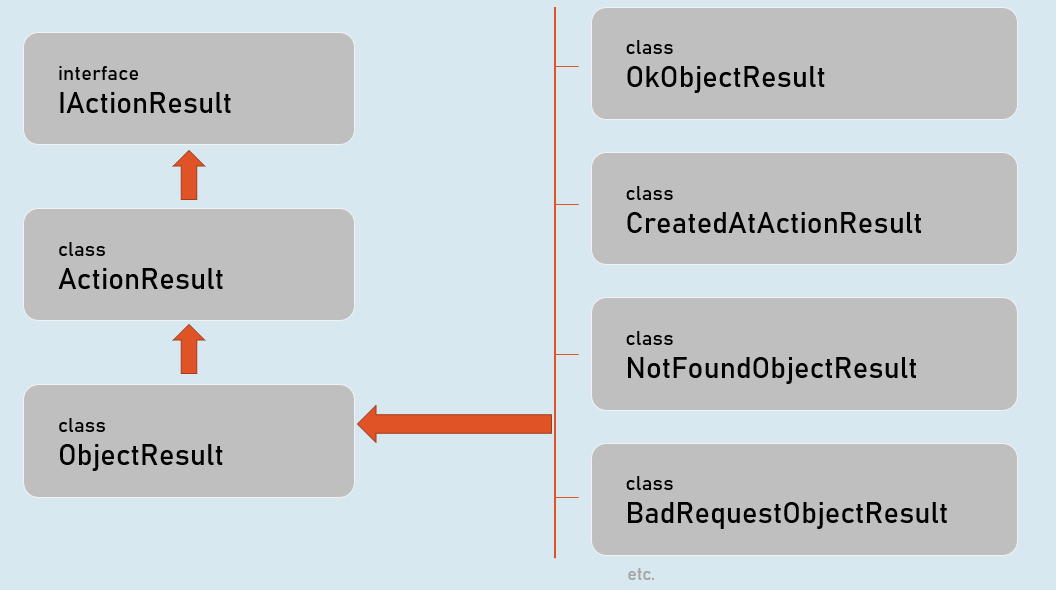
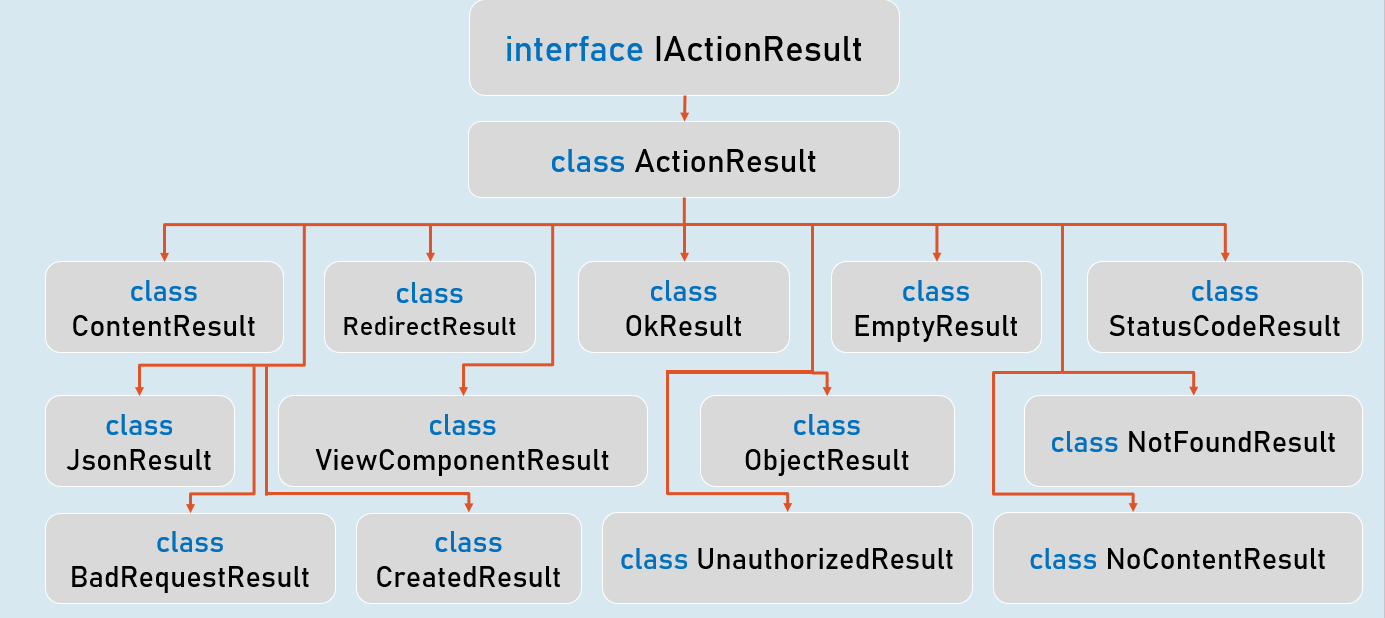
IActionResult [vs] ActionResult
IActionResult
Task ExecuteResultAsync(ActionContext context); //converts an object into response
public interface IActionResult
{
}
ActionResult
IActionResult Convert(); //converts the object into ObjectResult
public sealed class ActionResult<T>
{
}
IActionResult
ObjectResult