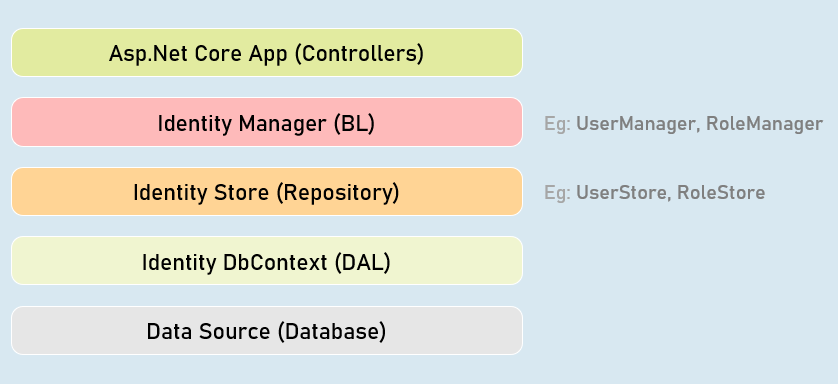
It is an API that manages users, passwords, profile data, roles, tokens, email confirmation, external logins etc.
It is by default built on top of EntityFrameworkCore; you can also create custom data stores.
IdentityUser
Acts as a base class for ApplicationUser class that acts as model class to store user details.
You can add additional properties to the ApplicationUser class.
Built-in Properties:
- Id
- UserName
- PasswordHash
- PhoneNumber
IdentityRole
Acts as a base class for ApplicationRole class that acts as model class to store role details. Eg: “admin”
You can add additional properties to the ApplicationRole class.
Built-in Properties:
- Id
- Name
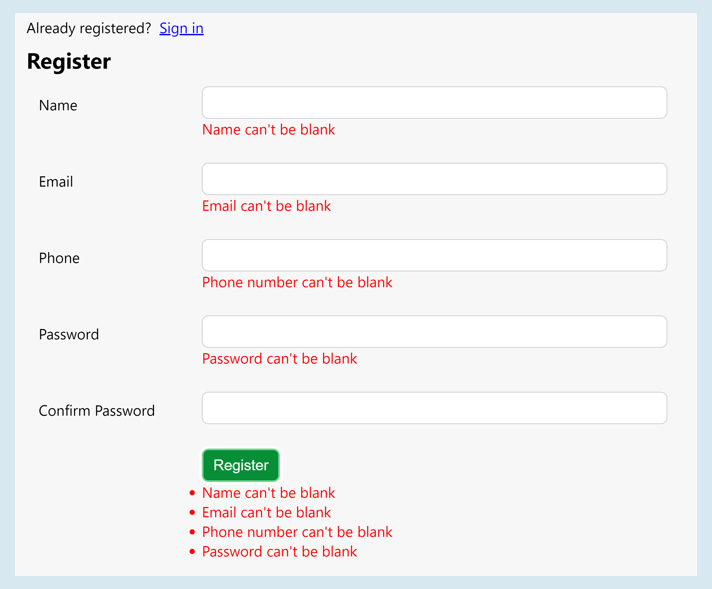
Register View
Managers
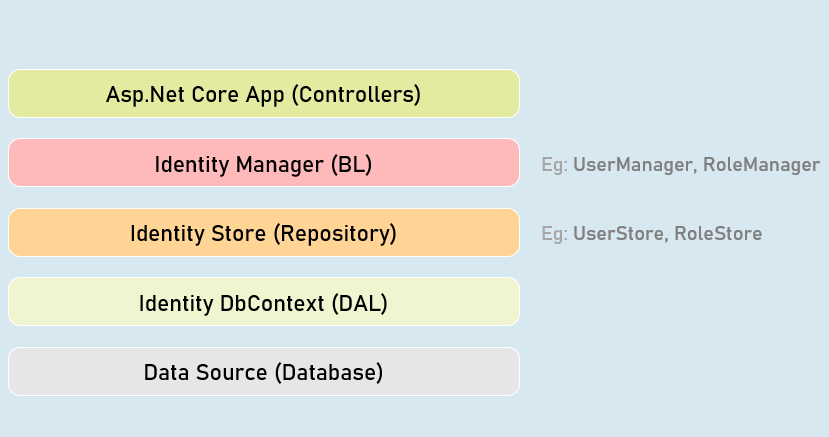
UserManager
Provides business logic methods for managing users.
It provides methods for creating, searching, updating and deleting users.
Methods:
- CreateAsync()
- DeleteAsync()
- UpdateAsync()
- IsInRoleAsync()FindByEmailAsync()
- FindByIdAsync()
- FindByNameAsync()
SignInManager
Provides business logic methods for sign-in and sign-in functionality of the users.
It provides methods for creating, searching, updating and deleting users.
Methods:
SignInAsync()
PasswordSignInAsync()
SignOutAsync()
IsSignedIn()
Password Complexity Configuration
required in password
services.AddIdentity<ApplicationUser, ApplicationRole>(options => {
options.Password.RequiredLength = 6; //number of characters required in password
options.Password.RequireNonAlphanumeric = true; //is non-alphanumeric characters (symbols)
options.Password.RequireUppercase = true; //is at least one upper case character required in password
options.Password.RequireLowercase = true; //is at least one lower case character required in password
options.Password.RequireDigit = true; //is at least one digit required in password
options.Password.RequiredUniqueChars = 1; //number of distinct characters required in password
})
.AddEntityFrameworkStores<ApplicationDbContext>()
.AddDefaultTokenProviders()
.AddUserStore<UserStore<ApplicationUser, ApplicationRole, ApplicationDbContext, Guid>>()
.AddRoleStore<RoleStore<ApplicationRole, ApplicationDbContext, Guid>>();
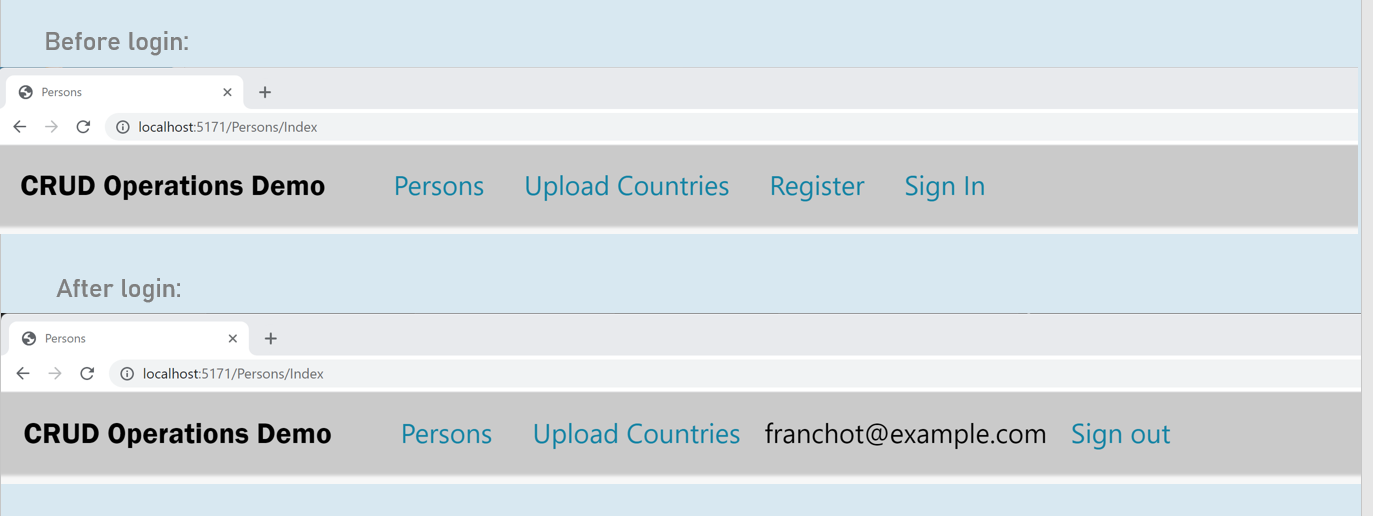
Login/Logout Buttons
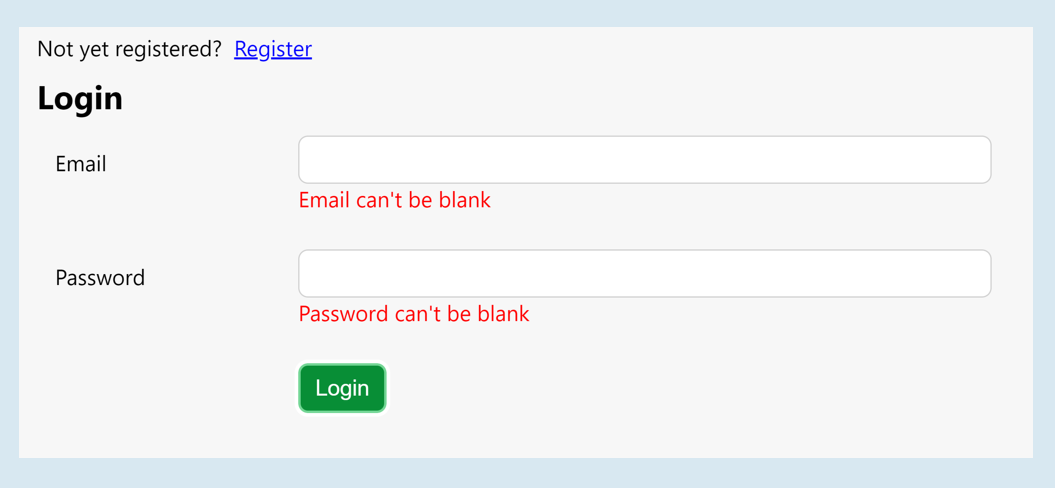
Login View
Authorization Policy
services.AddAuthorization(options =>
{
var policy = new AuthorizationPolicyBuilder().RequireAuthenticatedUser().Build();
options.FallbackPolicy = policy;
});
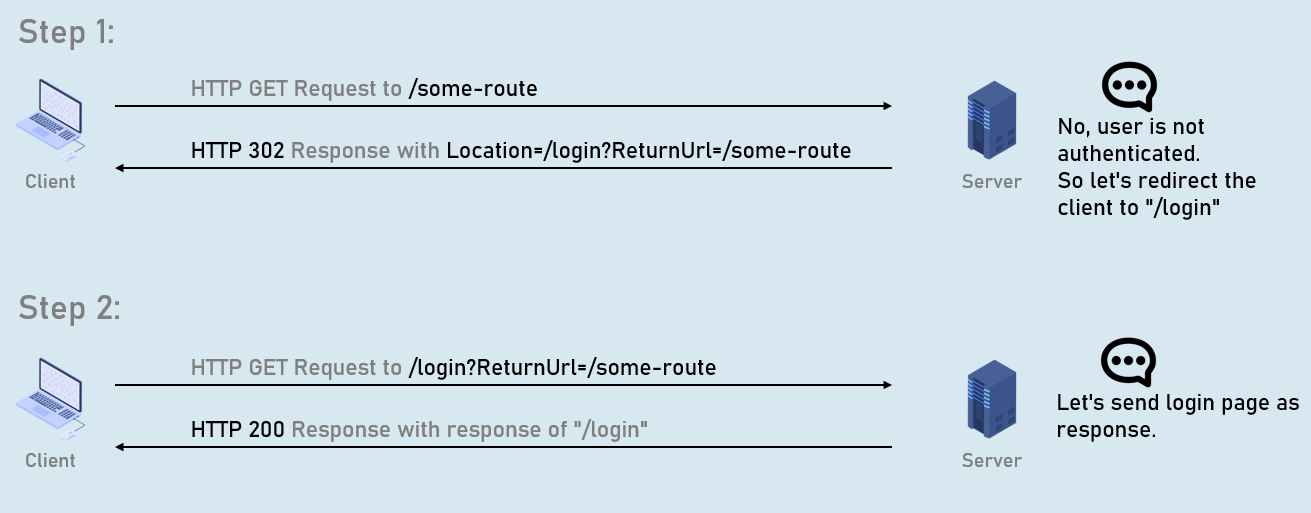
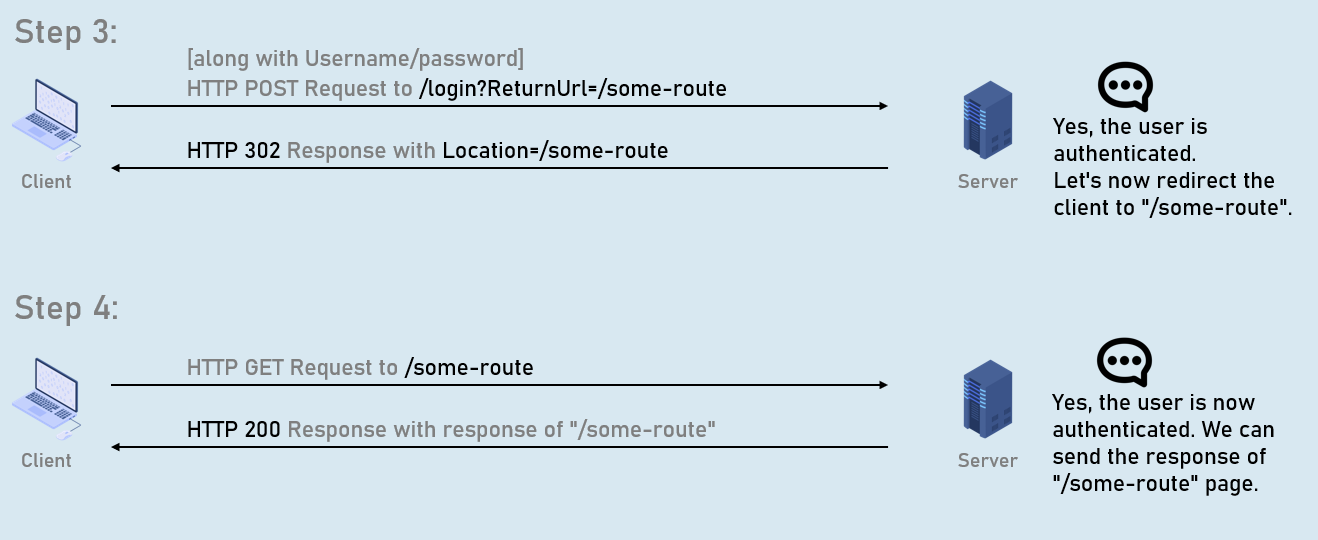
ReturnUrl
Remote Validation

Model class
public class ModelClassName
{
[Remote(action: "action name", controller: "controller name", ErrorMessage = "error message")]
public type PropertyName { get; set; }
}
Conventional Routing
Conventional routing is a type of routing system in asp.net core that defines route templates applied on all controllers in the entire application.
You can override this using attribute routing on a specific action method.
endpoints.MapControllerRoute(name: “default”,
pattern: “{controller=Persons}/{action=Index}/{id?}”
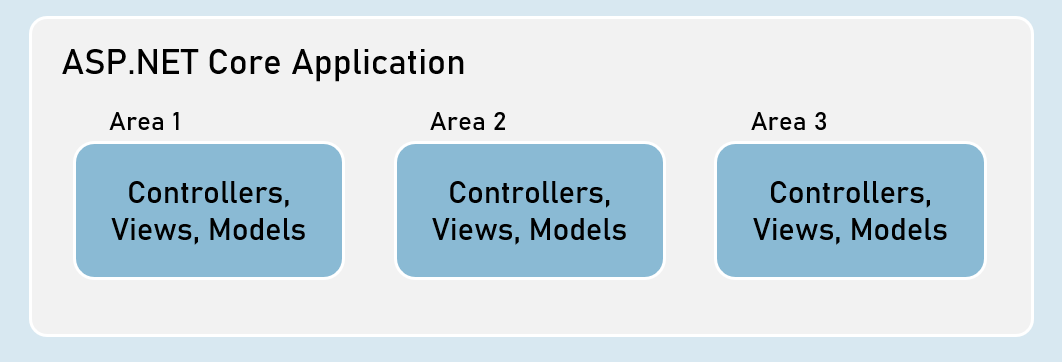
);Areas
Area is a group of related controllers, views and models that are related to specific module or specific user.
User Roles
Role Based Authentication
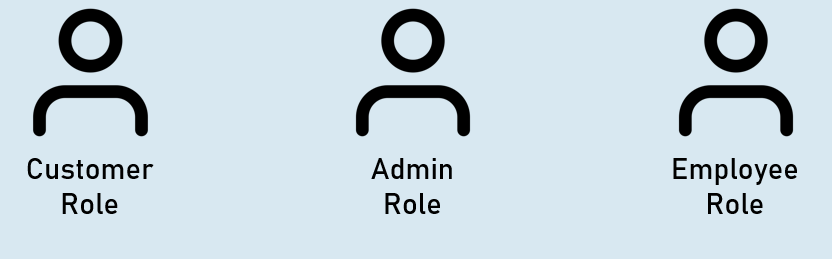
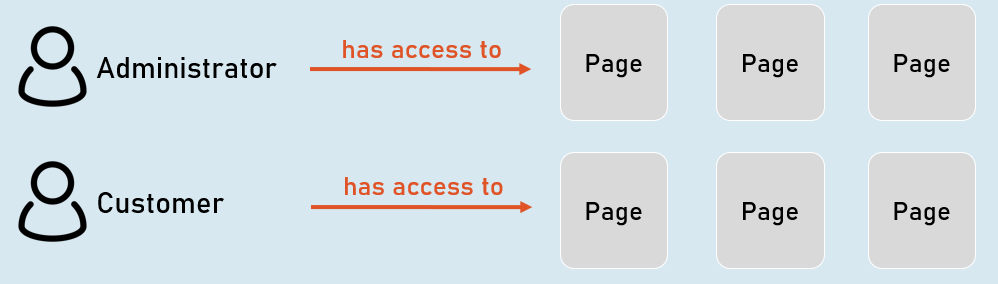
User-role defines type of the user that has access to specific resources of the application.
Examples: Administrator role, Customer role etc.
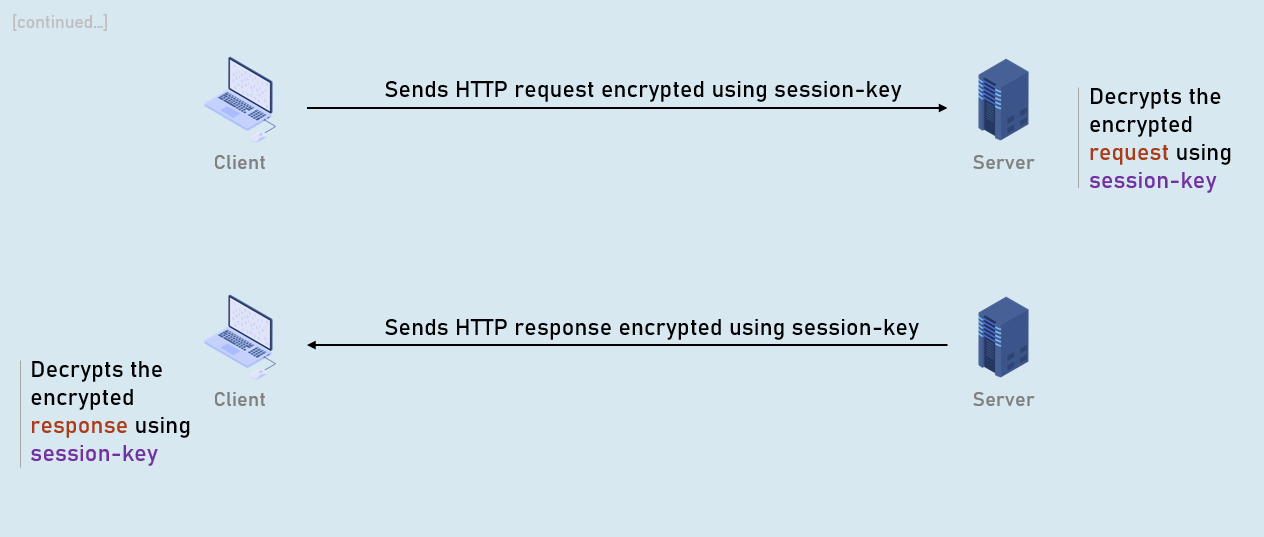
HTTPS
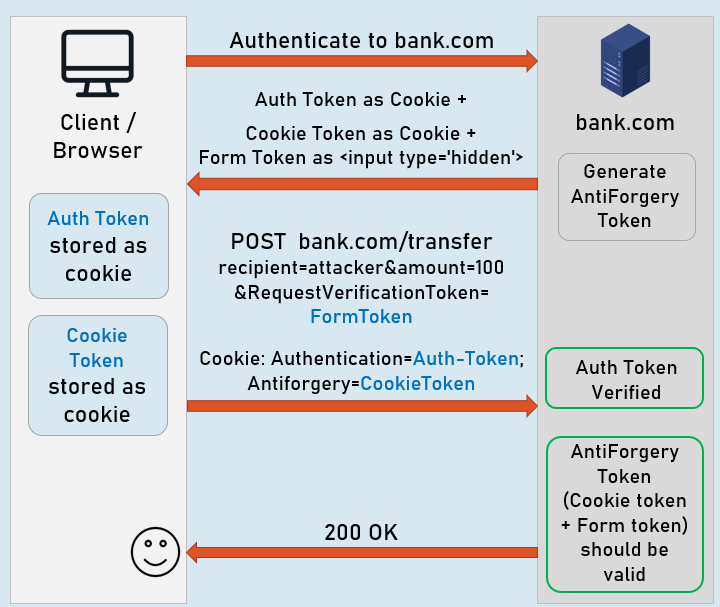
XSRF
XSRF (Cross Site Request Forgery - CSRF) is a process of making a request to a web server from another domain, using an existing authentication of the same web server.
Eg: attacker.com creates a form that sends malicious request to original.com.
Attacker’s request without AntiForgeryToken
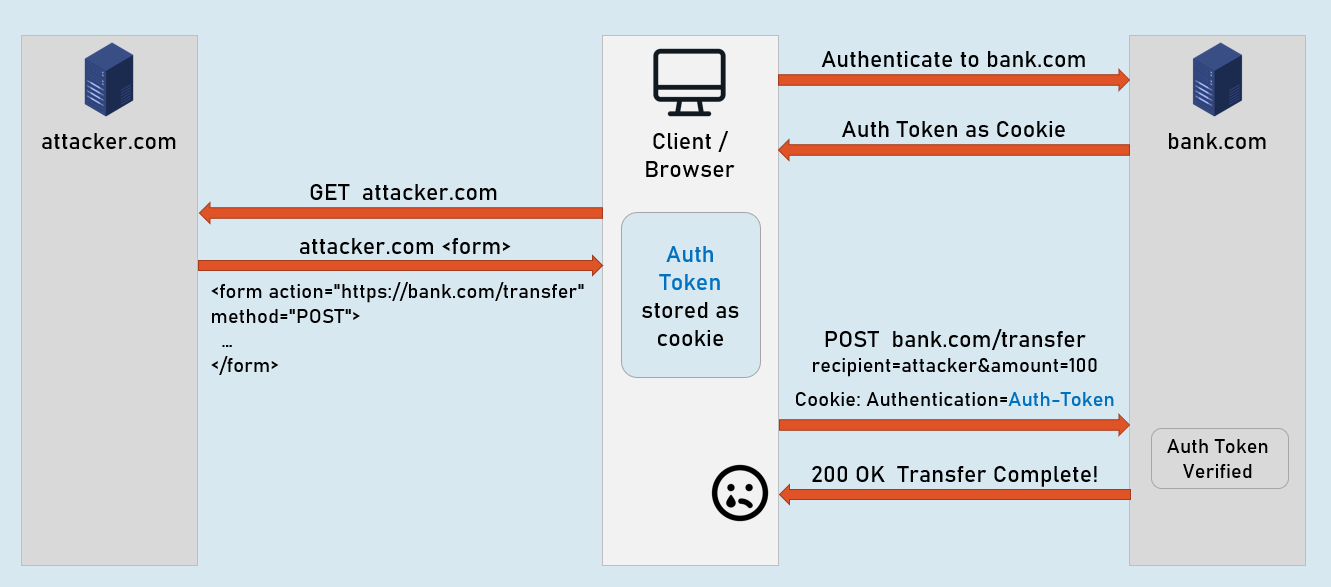
Attacker’s request
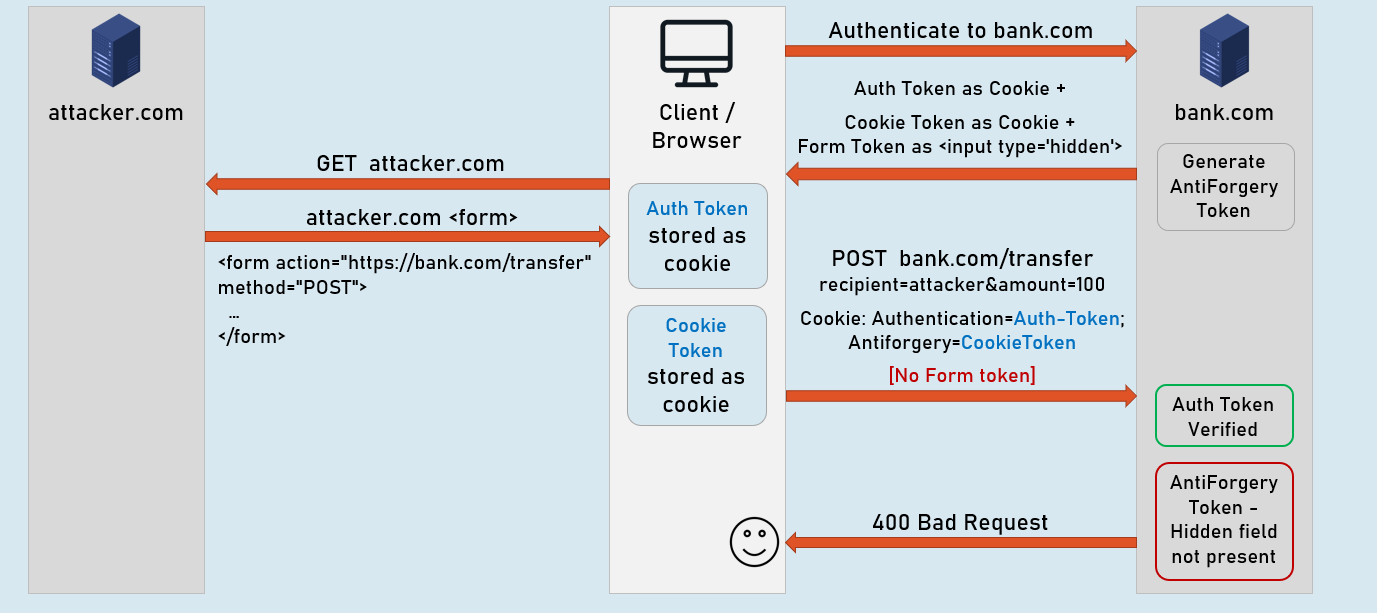
Legit request [No attacker.com]