Configuration Settings
Configuration (or configuration settings) are the constant key/value pairs that are set at a common location and can be read from anywhere in the same application.
Examples: connection strings, Client ID & API keys to make REST-API calls, Domain names, Constant email addresses etc.
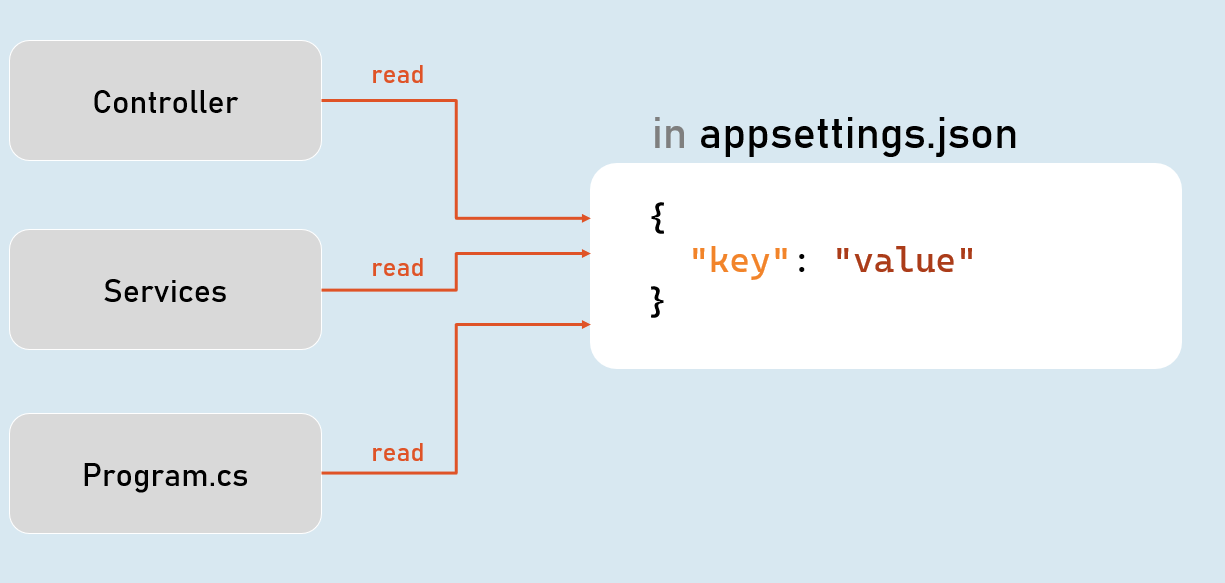
Configuration Sources
- appsettings.json
- Environment Variables
3. File Configuration (JSON, INI or XML files)- In-Memory Configuration
- Secret Manager
Access Configuration
in Program.cs:
app.ConfigurationIConfiguration
[string key]
Gets or sets configuration value at the specified key.
GetValue(string key, object defaultValue)
Gets the configuration value at the specified key; returns the default value if the key doesn’t exists.
IConfiguration in Controller
in Controller and other classes
_configuration = configuration;
using Microsoft.AspNetCore.Mvc;
using Microsoft.Extensions.Configuration;
public class ControllerName : Controller
{
private readonly IConfiguration _configuration;
public ControllerName(IConfiguration configuration)
{
}
}
Hierarchical Configuration
in appsettings.json
{“MasterKey”:
{“Key1”: “value”
“Key2”: “value”
}
}
to read configuration
Configuration[“MasterKey:Key1”]
IConfiguration.GetSection(string key)
Returns an IConfigurationSection based on the specified key.
Options Pattern
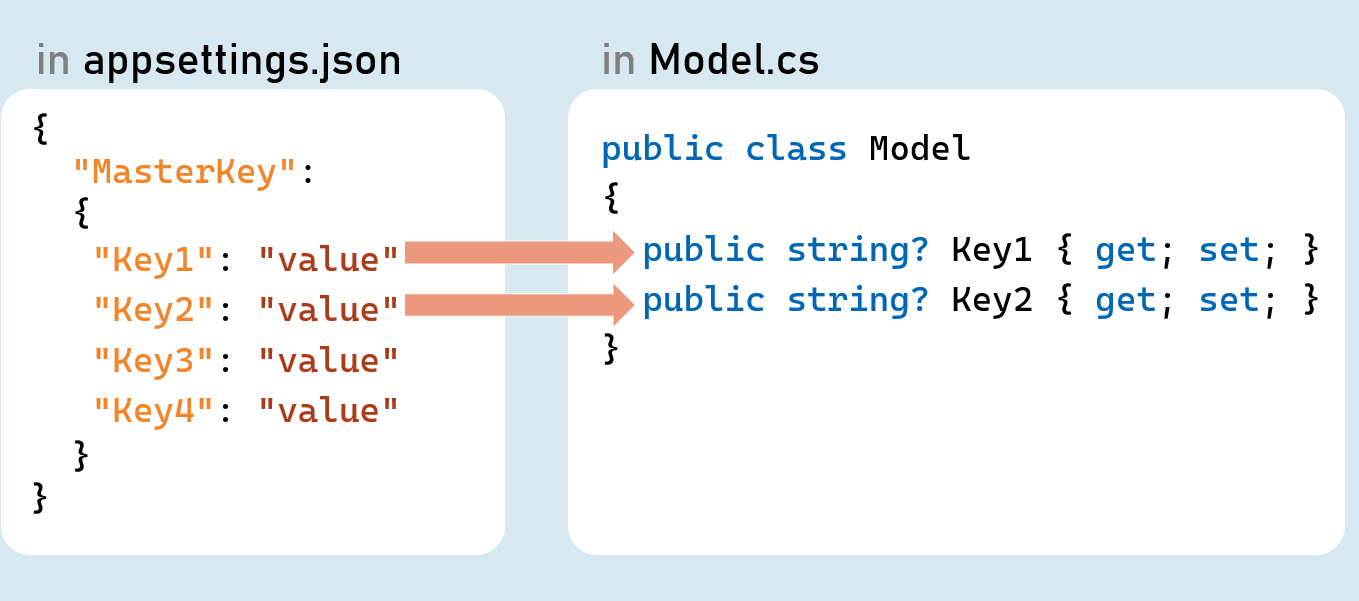
Options pattern uses custom classes to specify what configuration settings are to be loaded into properties.
Examples: Reading the specific connections strings out of many configuration settings.
The option class should be a non-abstract class with a public parameterless constructor.
Public read-write properties are bound.
Fields are not bound.
IConfiguration.GetSection(string key)
Returns an IConfigurationSection based on the specified key.
IConfiguration.Bind(object instance) and IConfiguration.Get()
Binds (loads) configuration key/value pairs into a new object of the specified type.
Configuration as Service
Inject Configuration as Service
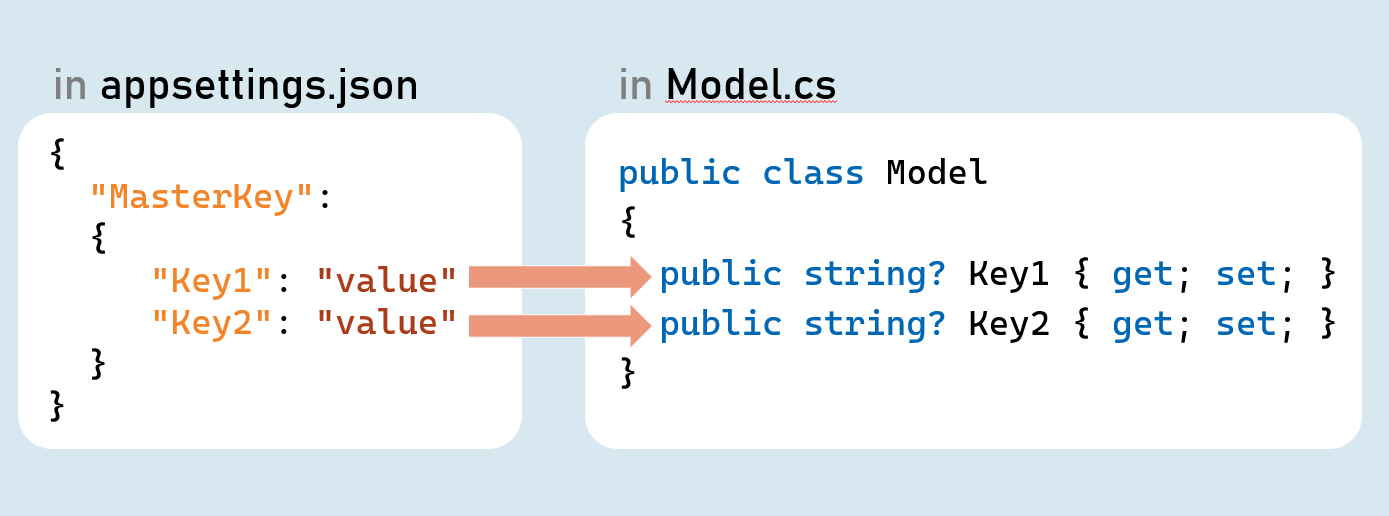
Add Configuration as Service
in Program.cs:
builder.Services.Configure<Model>(builder.Configuration.GetSection("MasterKey"));Inject Configuration as Service in Controller in Controller and other classes
_options = options.Value;
using Microsoft.AspNetCore.Mvc;
using Microsoft.Extensions.Options;
public class ControllerName : Controller
{
private readonly Model _options;
public ControllerName(IOptions<Model> options)
{
}
}
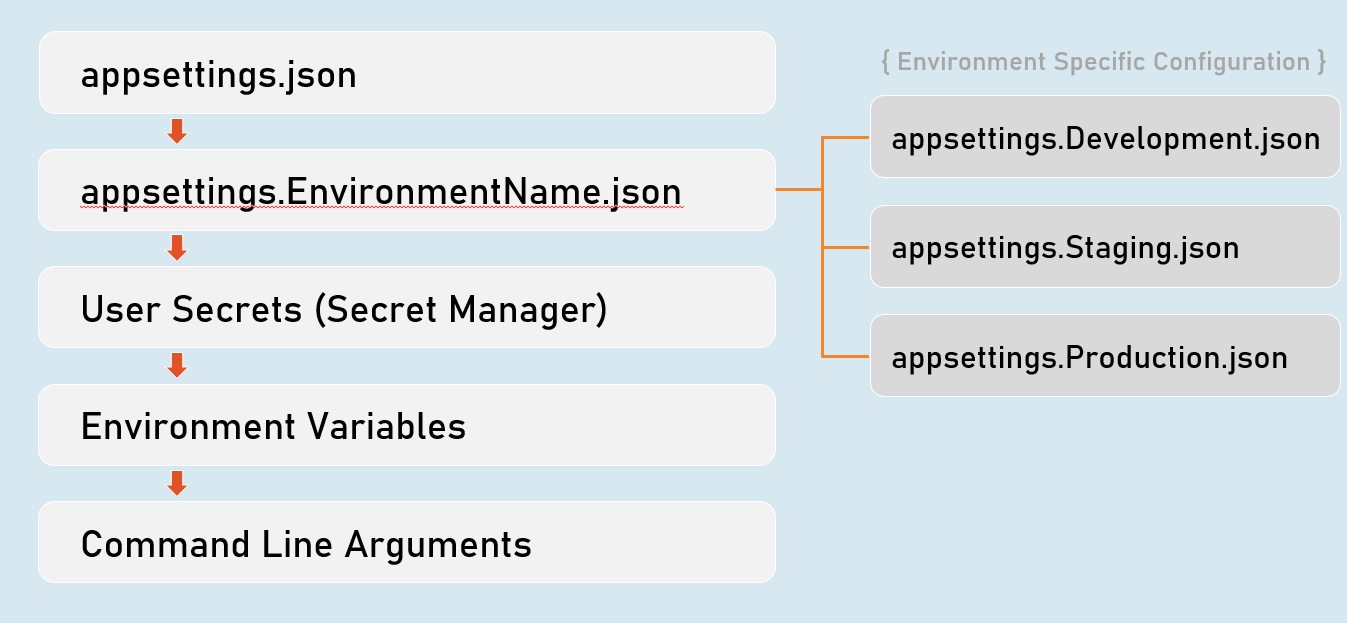
Environment Specific Configuration
Order of Precedence of Configuration Sources
Secrets Manager
The ‘secrets manager ’ stores the user secrets (sensitive configuration data) in a separate location on the developer machine.
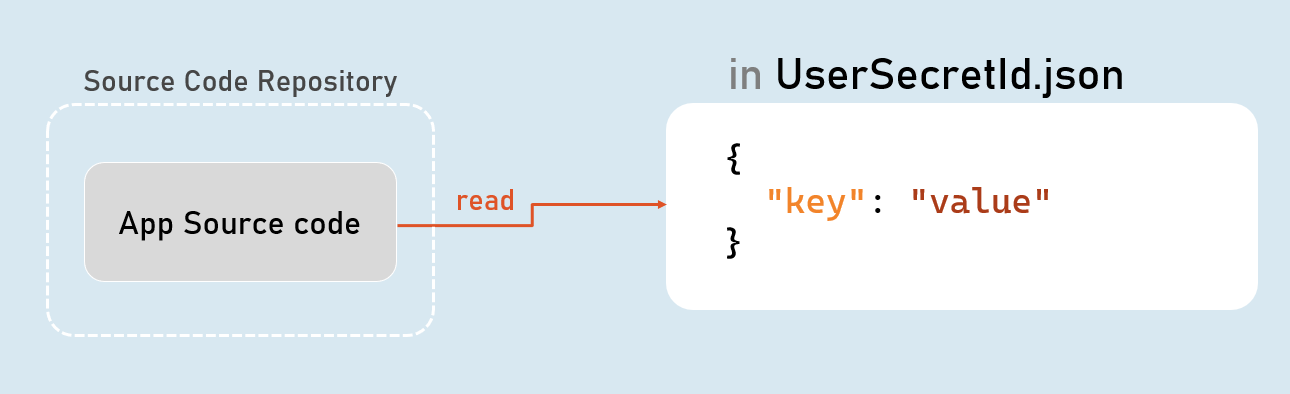
Enable Secrets Manager in “Windows PowerShell” / “Developer PowerShell in VS”
dotnet user-secrets init
dotnet user-secrets set "Key" "Value"
dotnet user-secrets list
Environment Variables Configuration
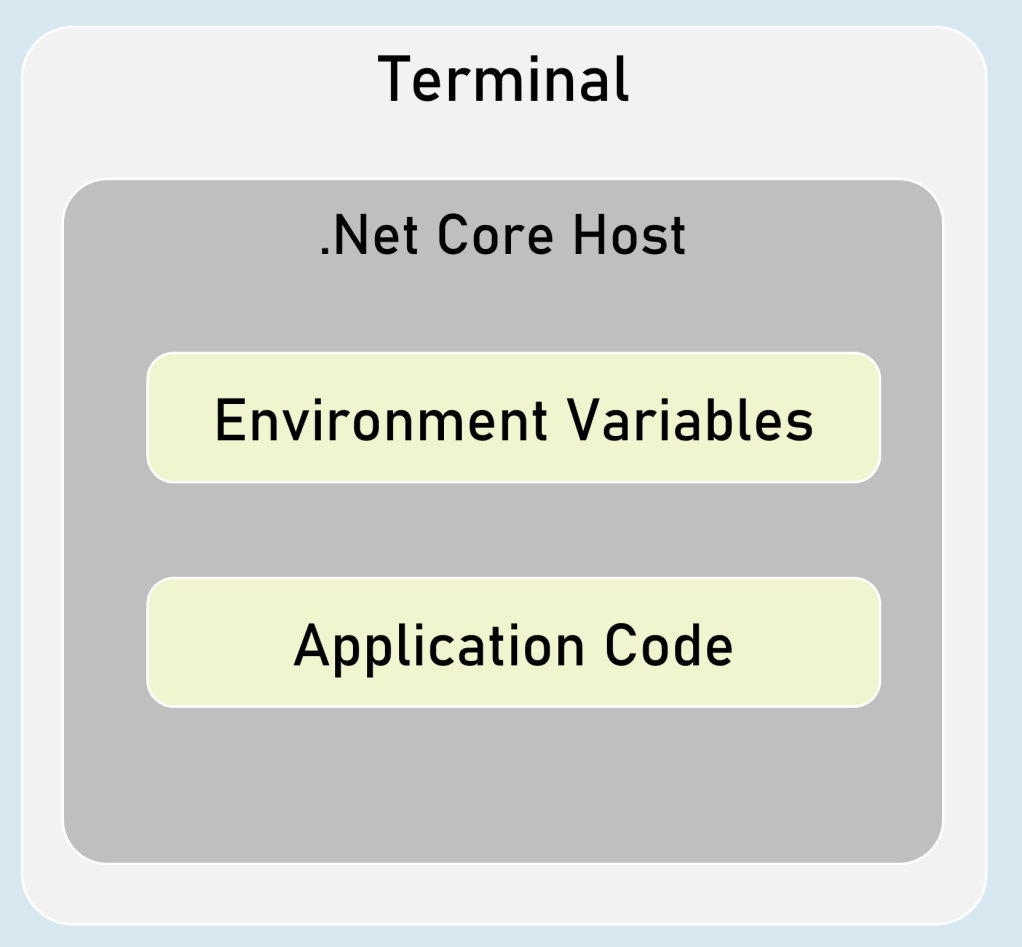
You can set configuration values as in-process environment variables.
Set Configuration as Environment Variables
in “Windows PowerShell” / “Developer PowerShell in VS”:
$Env:ParentKey__ChildKey=“value”
dotnet run --no-launch-profileIt is one of the most secured way of setting-up sensitive values in configuration.
__ (underscore and underscore) is the separator between parent key and child key.Custom Json Configuration
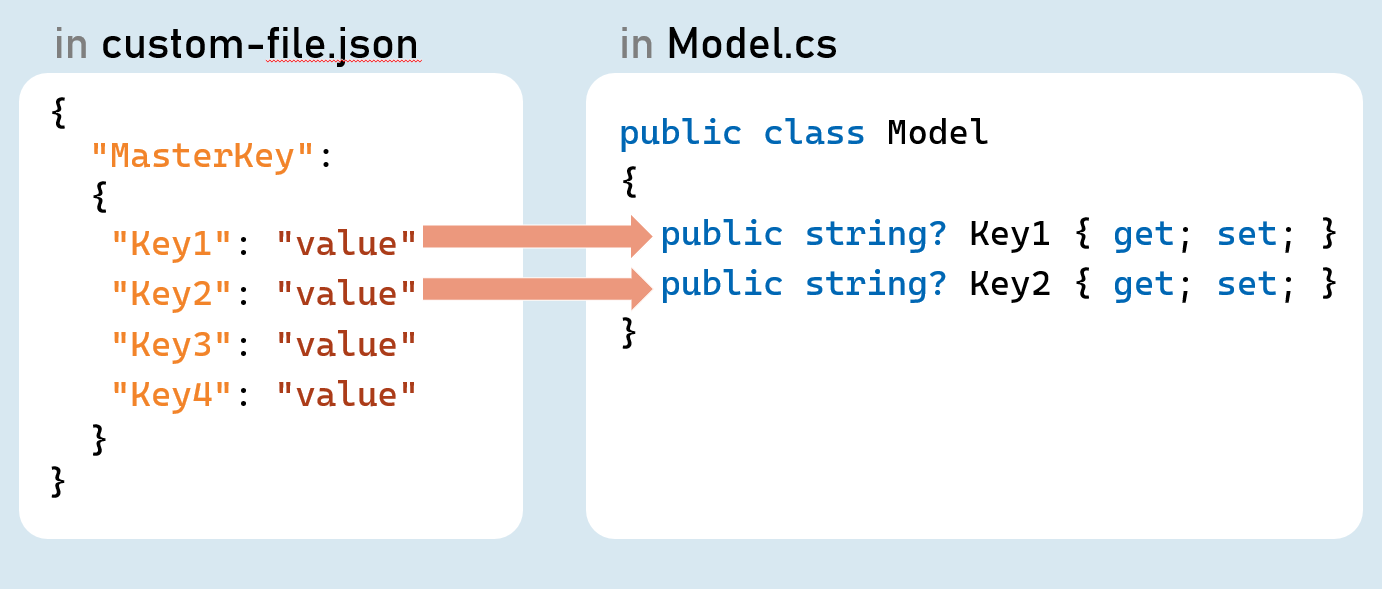
Add Custom Json file as Configuration Source
in Program.cs:
builder.Host.ConfigureAppConfiguration( (hostingContext, config) => {
config.AddJsonFile("filename.json", optional: true, reloadOnChange: true);
});
Http Client
HttpClient is a class for sending HTTP requests to a specific HTTP resource (using its URL) and receiving HTTP responses from the same.
Examples: Making a request to a third-party weather API, ChatGPT etc.
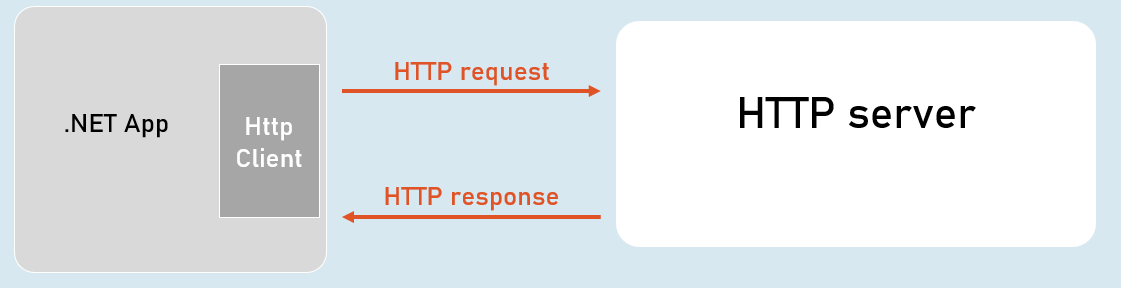
IHttpClientFactory
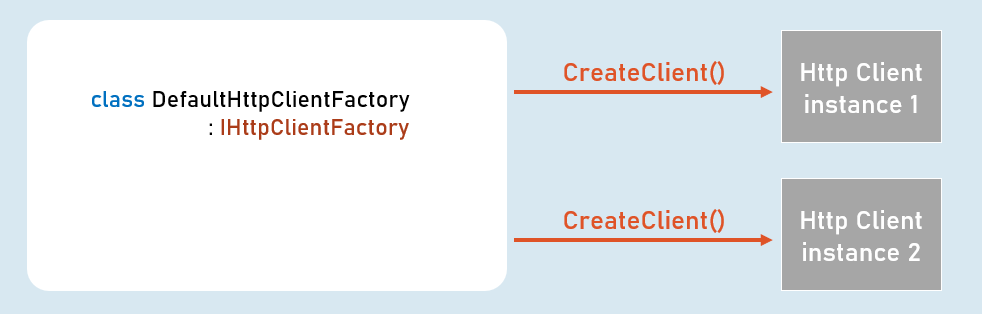
IHttpClientFactory is an interface that provides a method called CreateClient() that creates a new instance of HttpClient class and also automatically disposes the same instance (closes the connection) immediately after usage.
HttpClient
Properties
- BaseAddress
- DefaultRequestHeaders
Methods
- GetAsync()
- PostAsync()
- PutAsync()
- DeleteAsync()